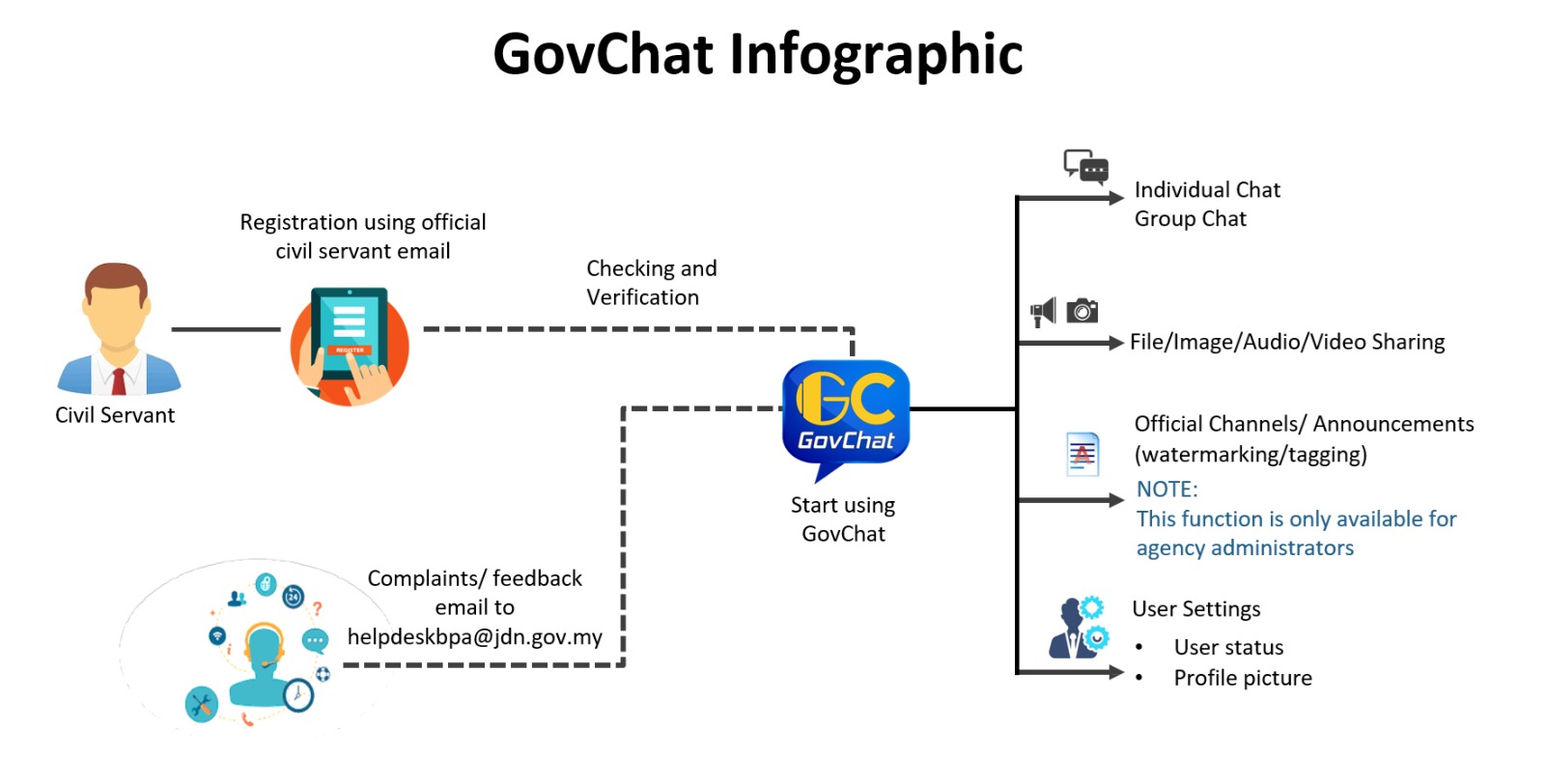



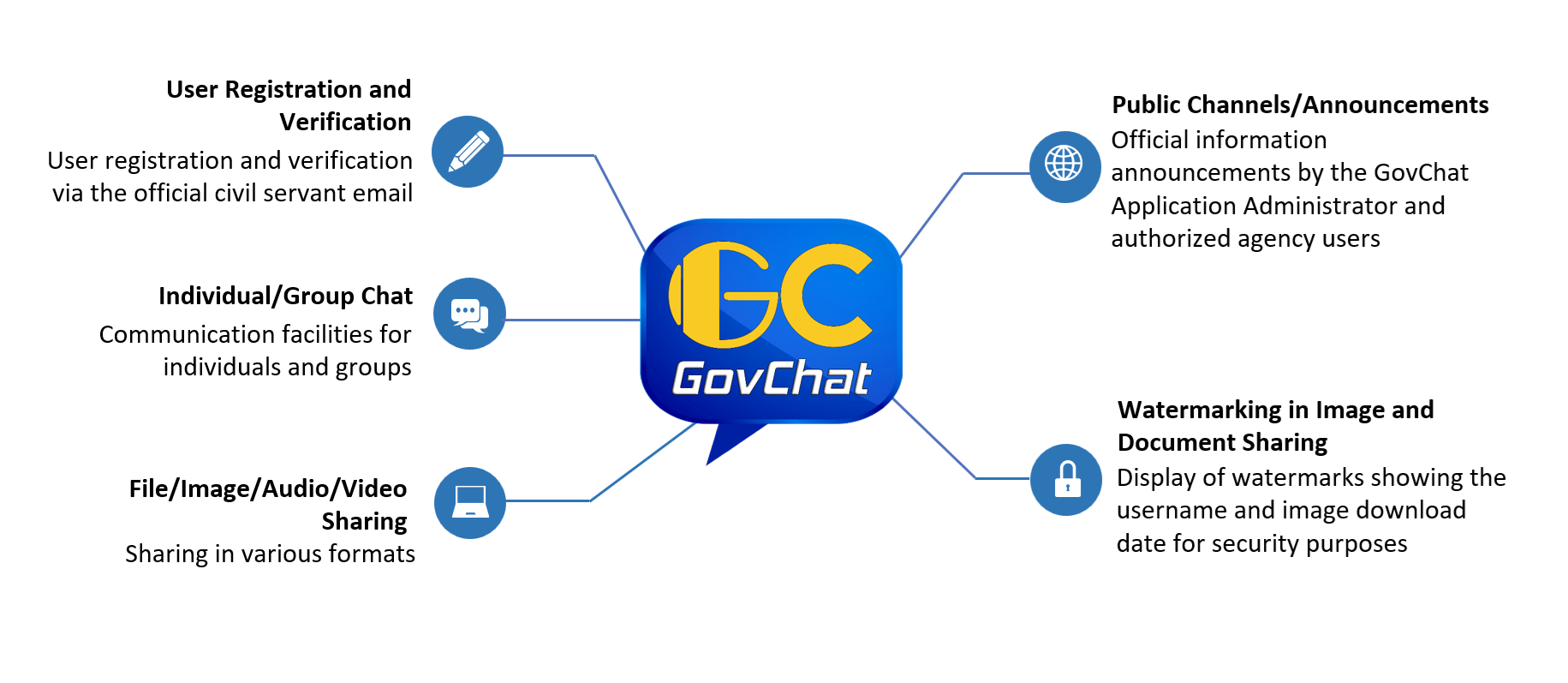
GovChat is a secure messaging application for Government officers. GovChat enables civil servants to communicate, share documents, and collaborate in a protected digital environment that complies with government information security standards.
GovChat is available in two versions: a web version and a mobile app version. Access the web version here: https://gc.jdn.gov.my .
The GovChat application is also one of the initiatives under Thrust 2 and Thrust 7 of the Public Sector Digitalization Strategic Plan (PSPSA) 2021-2025, which can improve the quality of public sector agencies' digital service delivery through the adoption of emerging technologies.
The proposed development of GovChat was agreed to at the Public Sector Modernization and Digitalization Committee (JPPSA) Meeting No. 1/2020 on 16 July 2020, chaired by the Chief Secretary to the Government. The meeting agreed with MAMPU's proposal, now known as JDN, to develop a messaging application as the Government communication medium known as GovChat.
The MAMPU Director General's Instruction Letter (SAKP) Number 1 of 2022: Guidelines for the Implementation of the GovChat Instant Messaging Application in Public Sector Agencies was also published on 31 January 2022 to explain the implementation of the GovChat instant messaging application and serve as a reference for public sector agencies.
The GovChat mobile app is available for Android and iOS platforms. The mobile app can be downloaded from the Malaysian Government Mobile Application Gallery Portal (GAMMA) at the following links:


GovChat User Manual Mobile Version (BM)
GovChat Web Version User Manual (BM)
Email: helpdeskbpa@jdn.gov.my